
Ticket > Settings: here you can;
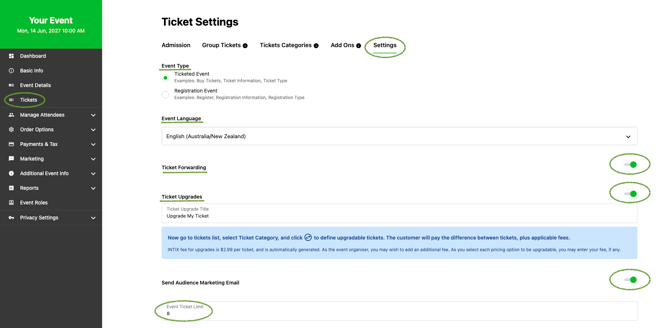
- Select Event Type - Selecting Ticketed Event or Registration Event will adjust the naming conventions throughout your event page to match the event type
- Select Event Language - select AU/NZ or US spelling
- Allow Ticket Forwarding - convenient ticket sharing for the consumer
- Enable Ticket Upgrade - allow attendees to upgrade their tickets through self-service. (not available for Reserved Seating)
- Toggle on/off Audience Marketing Email - This is a simple reminder "Hey! Do you want to grab a ticket?"
- Set max Ticket Limit per transaction including processing large quantitates of complimentary tickets
Questions? Email help@intix.com