
How does it work?
People will search for events using your team name or the title of the event. If you, the event organiser, add the opposing team in your lineup, or individual performers within your event, customers will come across your listing when searching for the other team or artists.
This gets your event in front of more people, which increases your chances of ticket sales and audience growth! It's quick and easy.
Get started:
Login to INTIX:
AU - intix.com.au
NZ - intix.co.nz
UK - intix.co.uk
US - intix.com
In your event, go to Additional Event Info > Who is Playing/Performing?
-
Type in your team, athlete or artist. If we already have them in our database, great!
-
Now type in the other competitors or performers.
If it doesn't come up, you'll want to add them into the database.
Add New Artist/Team/Performer:
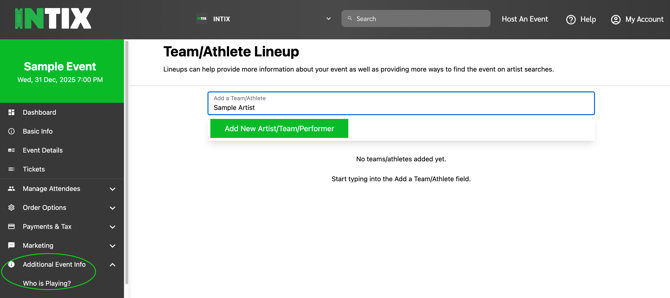
You can also navigate to the Manage Artists URL directly to see the full list and search:
https://www.intix.com.au/manage/artists
-
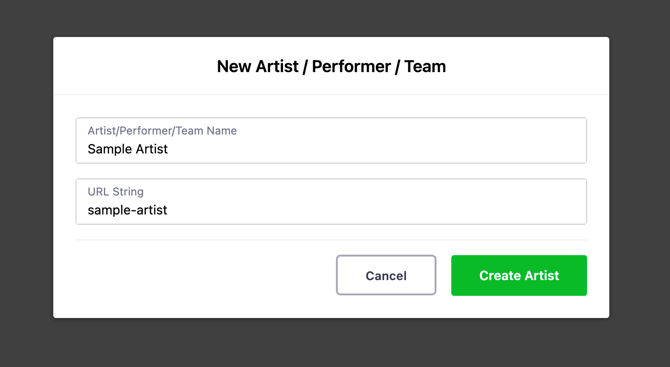
Type in the Artist/Team/Performer name
- Click the tab button to get to the next field, which will automatically create a URL
- Create Artist
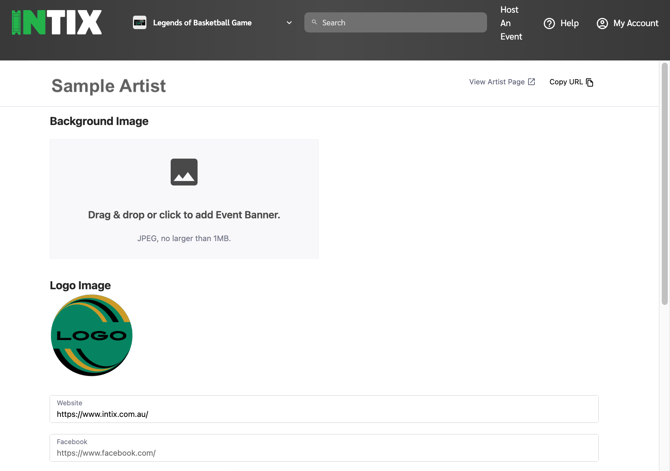
Fill in details here!
-
Logo
- Image (Use a high quality image: 2160 x 1220px (1.775:1), no larger than 1MB)
- Links (socials, website, music, videos)
- Bio or history of the artist/team/performer. Here is where you tell your story!
Note the links in the top right corner to View Artist Page, or copy link to share
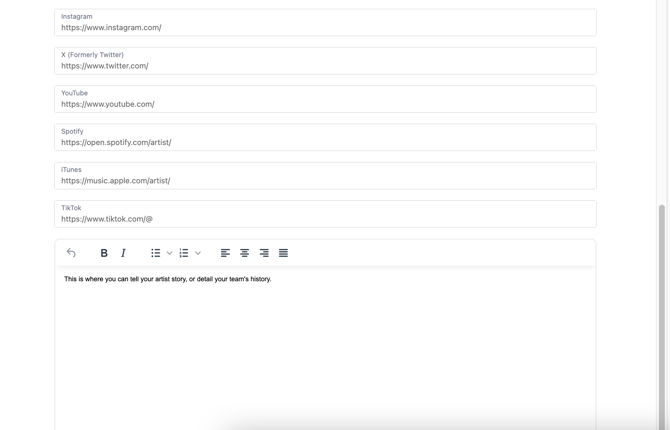
NOTE: Once the Artist Page is created, you cannot edit the details. Email us to change any links, logos, images, or other details for you.
Need help, or edits? Email your Account Executive or help@intix.com