
Login to INTIX:
AU - intix.com.au
NZ - intix.co.nz
UK - intix.co.uk
US - intix.com
- Enable Box Office Printing
- Print bulk ticket at checkout
- Print individual tickets after checkout
- Print bulk order tickets after checkout
Enable Box Office Printing
Boca ticket printing is enabled on a per event basis.
-
Reserved Seating: Event > Tickets > Settings (cog wheel in top right)
- General Admission: Event > Tickets > Settings (from top menu)
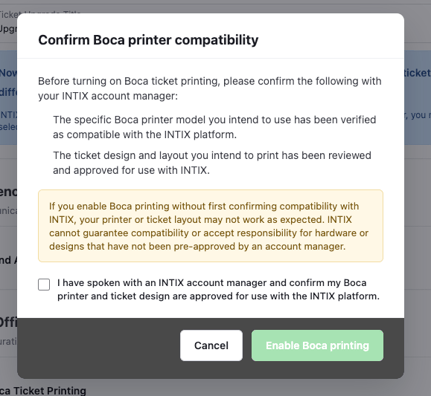
IMPORTANT: Review the content of the dialog box, confirm, click Enable.
- Install the QZ Tray. We added a free little helper app called QZ Tray that runs on each box-office computer. The website talks to that app, and the app talks to the printer. Think of it as a translator — browsers can't speak "printer" directly, so QZ Tray sits in between.
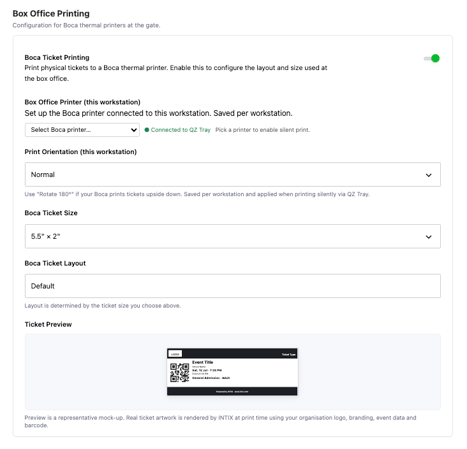
- Select your printer and ticket settings. (size, orientation, layout)
Print tickets in bulk from Add Attendees
-
If printing bulk tickets, increase the Ticket Limit (default is 8) for the event - Tickets > Settings
-
Manage Attendees > Add Attendees > select ticket type and quantity > Continue
- If issuing comp tickets, enter your own email address and details
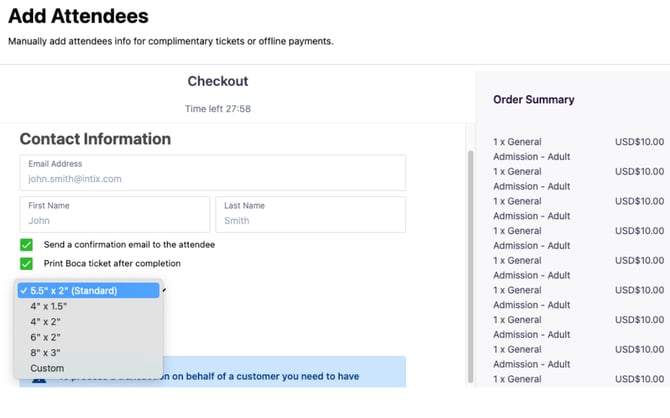
- Select Print Boca ticket > select paper size > Place Order
-
Ticket opens in a new tab.
-
Select printer icon, Boca printer, and verify your settings
Print individual attendee ticket from Attendee List
> Host an Event > select event > Manage Attendees > Attendee List
Search and select ticket to print:
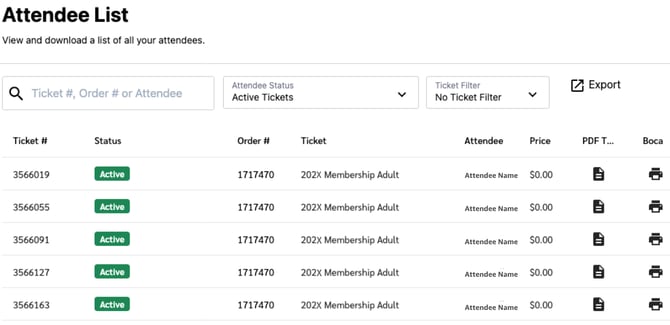
Select size of ticket to print:
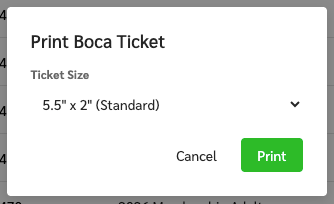
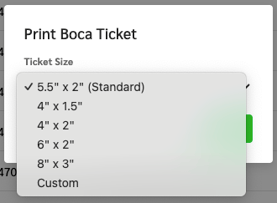
Print!
-
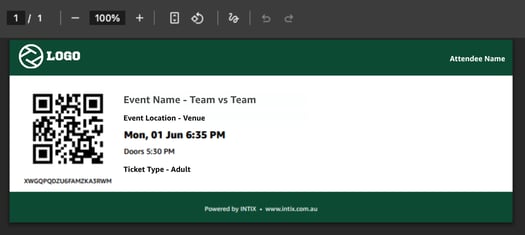
Ticket opens in a new tab.
-
Select printer icon, Boca printer, and verify your settings
Print bulk order ticket from Attendee List
> Host an Event > select event > Manage Attendees > Attendee List
-
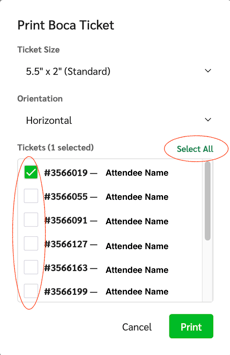
Search and select order to print, select individual tickets or 'Select All' and then Print
-
-
Select size to print
-
Tickets open in new tab
-
Select printer icon , Boca printer, and verify your settings
Questions? Email your Account Executive or help@intix.com.