
NOTE: This feature can only be enabled by an INTIX Account Executive. If you feel that your event would benefit from using this function - get in touch with your Account Executive or email help@intix.com.
How it works:
-
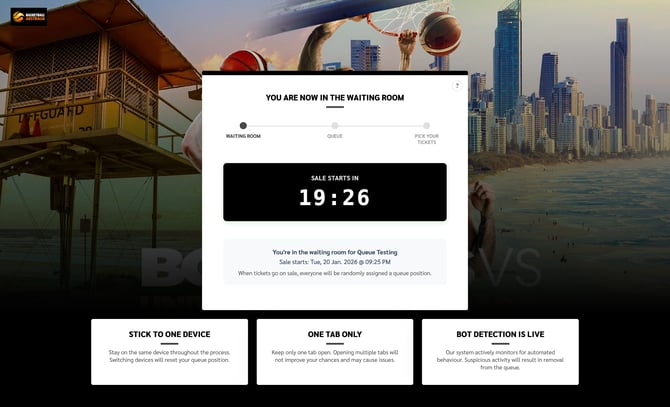
Users join the waiting room. This page has a current countdown to when tickets go on sale. A progress bar shows users next steps, and tips at the bottom so as not to lose their place.
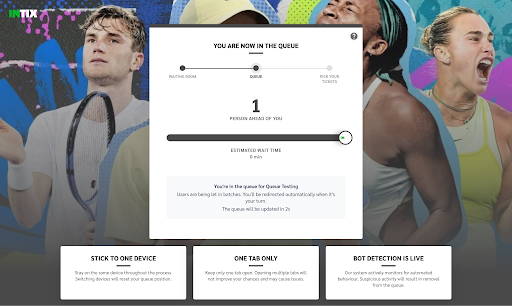
- Users are in the queue! Users are transitioned automatically from the waiting room to the queue. Customers are selected randomly from the queue to view the ticket page and go through the checkout process.
When one person completes their ticket purchase, the next user is automatically placed on the ticket page.
Waiting Room - ticket page prior to tickets being on sale:
Queue - before ticket selection:
Ticket page and Checkout:
When the customer lands on the ticket page, they select tickets as usual, and complete the checkout process.
NOTE: If someone joins the queue after ticket sales have started, they're placed at the back - for the sake of fairness!
Questions? Email your Account Executive or help@intix.com.